
eBird by Cornell Lab
Cornell Lab of OrnithologyBooks & Reference
3.8606.00 Reviews
- Version
- 3.3.6
- Installs
- 1.00M
- Age Rating
- Everyone
Screenshots
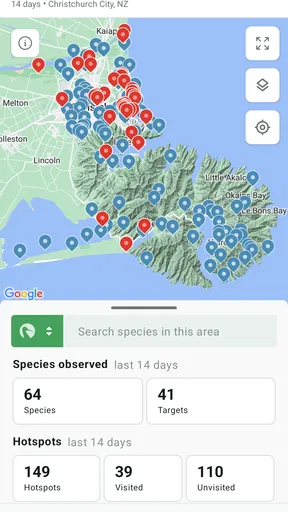
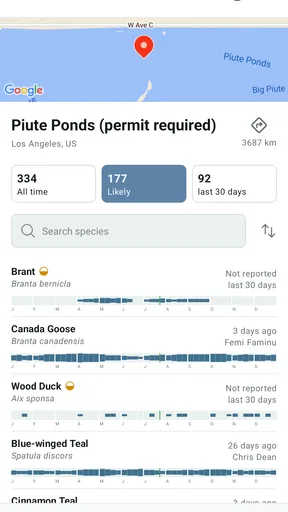
Our Review of eBird by Cornell Lab
 Analysis by Appyee
I have used eBird as a practical field notebook rather than treating it like a general bird encyclopedia. That distinction matters. Its main job is to help me record the birds I see and send those observations into eBird without turning every sighting into a long administrative task. When I am outside, the value is in getting a usable checklist started quickly, keeping my attention on the habitat, and finishing the record while the details are still fresh.
This free Books & Reference app comes from the Cornell Lab of Ornithology and is aimed at people who want their birdwatching notes to become organized observations instead of scattered entries in a phone memo. It is available for Everyone, supports devices running Android 8.0 or later, and the current release is version 3.3.6. Its broad audience is reflected in its reach: it has passed one million installs, with an average rating of 3.8 from around four thousand ratings.
That rating feels believable to me. The app is focused and genuinely useful, but it rewards a certain way of working. If I want a polished visual field guide, elaborate identification lessons, or a completely private journal, I would look elsewhere. If I want a repeatable way to document a walk, park visit, backyard session, or travel stop, this is much closer to the right tool.
How I use it during an ordinary birding session
When I use eBird Mobile during an ordinary birding session, I treat the checklist as a running record, not a reason to keep looking at my phone. I note a sighting once I have enough confidence to stand behind it, then pause at a natural break to review what I entered. That simple rhythm helps me catch mistakes without interrupting the moments when watching matters most.
Starting with a checklist instead of scattered notes
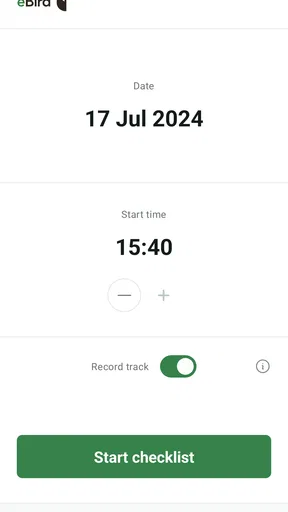
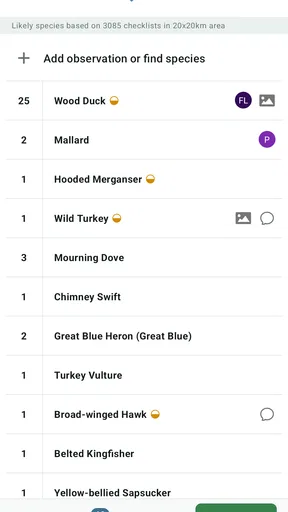
My basic workflow is simple: I open the app when I begin watching, create or continue a checklist for the place and time, and add birds as I identify them. That sounds obvious, but the difference from writing names in a notes app becomes clear after a busy outing. A checklist gives each observation a proper place, so I am less likely to forget where I saw a bird or mix sightings from separate walks.
I try not to use the phone as my primary observation tool. I watch first, listen, compare what I am seeing with what I know, and then record the sighting. This keeps the app in its proper role: a fast recording layer between the field and my longer-term birding records. The less time I spend staring at the screen, the more useful the session becomes.
For a casual walk, I usually add common species as I encounter them and leave rarer or uncertain birds until I have checked the details. That habit reduces accidental entries. It also makes the final review more meaningful because I can separate a confident identification from a bird that only looked familiar at a distance.
Why location and timing change the quality of a record
A bird list without context is much less useful than a list tied to a real place and outing. I pay attention to the selected location before adding several species, especially when I have moved between a garden, a pond, and a wooded trail. A small location mistake can make a perfectly good observation confusing later.
I also prefer to finish a checklist soon after I stop watching. Waiting until the evening creates avoidable uncertainty: which gull was at the lake, whether I heard the wren before or after reaching the path, and whether a species belonged to this visit or the previous one. The app works best when I treat recording as part of the outing rather than a separate chore.
For a family walk, I might let another person call out birds while I enter them. For a serious morning session, I make shorter, deliberate additions and review the list before leaving. The same app supports both approaches, but the quality of the result depends on the discipline of the person using it.
What I do when identification is uncertain
One of my most useful habits is refusing to turn uncertainty into a confident entry. If I cannot distinguish two similar species, I pause and use the information available to me, then decide whether I have enough evidence to record one. If not, I keep the observation out of the final list or treat it cautiously in my own notes until I can verify it.
This is especially important with distant shorebirds, confusing fall warblers, and birds seen only briefly in poor light. A quick tap is convenient, but convenience should not replace judgment. The app makes recording easier; it does not make every identification reliable.
Finishing the checklist before I leave
Before ending a session, I scan the list for duplicates, accidental taps, and species I added while moving between habitats. I also consider whether the count reflects what I actually observed rather than what I expected to find. This final check takes little time and prevents a rushed field record from becoming a misleading permanent entry.
I would not describe this as glamorous, but it is where the app earns its place. The useful result is not merely a screen full of bird names. It is a structured account that I can revisit, compare with later outings, and use as a more dependable memory of what happened.
Settings and preparation that are worth checking
The most valuable preparation is not a complicated customization routine. It is making sure the app is ready for the way I actually bird. I check the device’s location behavior, make sure I know how to select the correct place, and avoid beginning a walk with a nearly empty battery. A field app can be excellent and still be frustrating if the phone is struggling before the first sighting.
I also decide in advance how precise I want to be. If I am staying in one reserve, using the appropriate location consistently keeps the checklist tidy. If I am traveling through several stops, I prefer separate records rather than one long list that combines habitats and times. This is a workflow choice more than a feature trick, but it has a large effect on the usefulness of the finished observations.
Notifications and interruptions are another practical consideration. When I am actively watching, I keep distractions to a minimum and use the app only when I need to record. The best setup is the one that lets me return quickly to binoculars or listening instead of encouraging constant screen checking.
New users often wonder whether they need to be expert birders before starting. I do not think so. Beginners can use it for familiar birds and gradually build confidence, while experienced observers can record more detailed outings. The important boundary is honesty: a beginner should be comfortable leaving a difficult bird unrecorded rather than guessing just to complete a list.
Small habits that make recording noticeably faster
Experienced use is mostly about repetition. I keep the same sequence for every outing: open the app, establish the location, add observations as they happen, review the list, and finish it promptly. Because the sequence does not change, I spend less mental energy deciding what to do next.
I also avoid entering every detail at the exact moment I notice a bird. For a flock moving quickly through a tree, I first observe the group and remember the count or composition as carefully as possible, then enter the information once the scene settles. This is faster than repeatedly switching between watching and typing, and it reduces the chance of missing a second species.
Another useful pattern is separating “record now” from “investigate later.” If I recognize a bird with confidence, I record it immediately. If a sighting needs comparison, I mark the mental question and return to it after the immediate action has passed. This prevents the app from becoming a bottleneck during an active moment.
For a backyard session, I may keep a checklist open while watching from the same window. For a long walk, I use the same approach but review at natural pauses, such as a bench or trail junction. These habits are not hidden functions, yet they are the difference between an app that feels effortless and one that feels like paperwork.
Using it with a field guide, binoculars, or another birding tool
I would not use this app as my only source of identification help. A printed field guide remains useful when I want to compare silhouettes, plumage, or range information without handling a phone. A separate identification app may be better for someone who relies heavily on photographs or sound analysis. eBird Mobile is strongest after I have made the observation and need to record it cleanly.
That division of labor works well. I can use binoculars for detail, a field guide for comparison, and this app for the official checklist. Trying to make one tool handle all three jobs can slow the outing down. The app’s focused design is a strength when I respect that focus, but it can feel limited if I expect a complete identification classroom inside the recording screen.
It also differs from a private notes app in an important way. A note can be faster for a single impression, such as “three finches near the feeder,” but it becomes difficult to search and standardize over time. The structured approach here takes slightly more attention at the moment of entry and gives me a much more useful record afterward.
Where the workflow becomes less comfortable
The app is not equally convenient in every field situation. Rapid mixed flocks, poor connectivity, cold hands, glare, and a phone that is difficult to operate with one hand can all add friction. I have learned not to assume that recording will be effortless simply because the interface is designed for field use.
For a quiet walk with occasional sightings, the process feels natural. During a fast-moving migration event, I may prefer a quick handwritten shorthand first and a careful digital entry afterward. That approach loses some immediacy, but it protects observation quality when the phone would otherwise pull my attention away from the birds.
Another limitation is that structured records encourage me to think in terms of species and checklist details. That is useful for documentation, but it does not capture every personal impression. The unusual behavior of a bird, the changing light, or the feeling of a sudden flock may deserve a separate journal entry. I see eBird Mobile as the dependable record, not the entire story of an outing.
Advanced use: consistency matters more than speed
Once I had used it repeatedly, I found that consistency was more valuable than trying to enter observations at maximum speed. I use similar decisions about locations, separate outings when habitats change, and careful review for uncertain species. This makes later records easier to understand and compare.
A particularly useful trade-off is between detailed counting and uninterrupted observation. When birds are stationary and visible, I can enter more precise information. When they are moving quickly, I record what I can defend and avoid pretending that a hurried estimate is exact. The app supports responsible recording, but it cannot decide how much confidence a field situation deserves.
I also recommend practicing the full workflow on familiar birds before using it during a special trip. A local park is a low-pressure place to learn where the important controls are and how the checklist process feels. Then, when an unfamiliar species appears on holiday, I am not learning the recording routine at the same time as I am trying to identify the bird.
Who should use it and who should choose something else
I would recommend it to beginners who want their sightings organized from the beginning, regular birders who are tired of loose notes, and travelers who want a consistent way to document different outings. It is also a sensible choice for anyone who prefers a focused free tool from the Cornell Lab of Ornithology rather than a crowded app that tries to combine social feeds, lessons, cameras, and identification into one experience.
I would be more cautious for someone who wants a completely offline-first journal, a rich multimedia diary, or instant automatic identification as the main purpose. A private notes system may feel better for personal reflections, while a dedicated field guide may be more satisfying for learning plumage and calls. People who dislike structured data entry may also find the checklist approach more demanding than expected.
The Everyone age rating makes it approachable for family use, and I can imagine it working well on a shared nature walk where children call out birds and an adult manages the list. Still, younger users may need help with identification and location choices. The app can support curiosity, but it should not turn guessing into a competition for the longest list.
My verdict after settling into the routine
My overall view is positive because the app solves a specific problem well: turning bird sightings into organized eBird records with less friction than manual entry. It is free, widely used, and focused enough that I can build a dependable habit around it. The average rating of 3.8 suggests a mixed but generally useful experience, and that feels fair rather than troubling.
The key is understanding what it is not. It is not a replacement for careful observation, a full field guide, or a personal nature journal. It will not remove the need to check difficult identifications, and it cannot compensate for a rushed checklist. Its strengths appear when I prepare the location, use a repeatable sequence, record honestly, and review before finishing.
If I were recommending it to a friend, I would say: start with familiar birds at a nearby place, keep the first checklists simple, and develop a consistent end-of-walk review. Once that habit is comfortable, the app becomes much more than a list of names. It becomes a practical memory of where I have looked, what I noticed, and how my birding has developed over time.
My final recommendation is for observers who value reliable records over flashy extras. For that audience, eBird Mobile is a useful companion and an easy app to keep returning to. For someone seeking automatic identification, deep visual teaching, or a richly personal diary, another tool may fit better. I would still install it for structured field recording, provided I treated its convenience as support for good birding rather than a substitute for it.
Verdict
Strengths of eBird by Cornell Lab
- Excellent global bird database with detailed species information.
- Offline maps and saved bird guides help during trips without reliable signal.
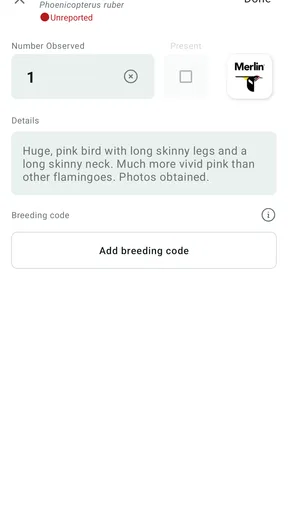
- Sightings can be submitted quickly with notes, photos, and audio recordings.
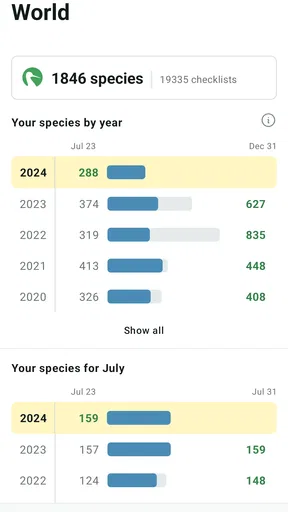
- Personal statistics and life lists make long-term birding more engaging.
- Sightings contribute valuable data to scientific research and conservation.
Limitations of eBird by Cornell Lab
- Some advanced features work best with a strong GPS signal and mobile data.
- The large number of settings may feel overwhelming for first-time birders.
- Species identification still requires experience; it is not fully automatic.
- Rare-bird alerts and local hotspots can encourage crowded viewing locations.
- Battery use may increase when GPS tracking and maps remain active for long periods.
Other Releases by Cornell Lab of Ornithology
View All
Merlin Bird ID by Cornell Lab
Books & Reference4.9
Similar Picks in This Category
View All
Google Play Books & Audiobooks
Google LLC4.7

네이버 - NAVER
NAVER Corp.3.5

Wattpad - Read & Write Stories
Wattpad.com3.7

King James Bible - Verse+Audio
Ozion4.8

Bible Offline-KJV Holy Bible
Bíblia Offline4.9

Amazon Kindle: Reading App
Amazon Mobile LLC4.8
Frequently Asked Questions
What is eBird by Cornell Lab used for?
eBird by Cornell Lab is a birdwatching platform that helps you identify, record, and share bird sightings. You can create checklists while birding, explore nearby hotspots, review personal observations, and contribute data to a worldwide scientific database. It is useful for beginners learning common species as well as experienced birders tracking locations, dates, behavior, and migration patterns.
Does eBird identify birds automatically?
eBird can assist with bird identification through features such as species information, regional bird lists, photos, sounds, and Merlin integration, but it should not be treated as infallible. Automatic suggestions and visual or audio identification may occasionally be wrong, especially with poor recordings, unusual lighting, or similar-looking species. It is best to compare the results with field marks and trusted references.
Can I use eBird without an internet connection?
You can prepare for some birding trips by downloading relevant regional information or using supported offline features, but the full experience generally benefits from an internet connection. Creating, syncing, and submitting checklists, viewing maps, loading media, and accessing updated species data may require connectivity. If you plan to visit a remote area, prepare your lists and location details before leaving.
Is eBird free to download and use?
Yes, eBird is generally available as a free service, allowing users to create accounts, record observations, submit checklists, explore birding locations, and access a large amount of community-generated information. Some connected tools or related Cornell Lab services may have their own features or requirements. Check the current Google Play or App Store listing for platform-specific details and permissions.
What privacy and location concerns should I consider before using eBird?
eBird uses observation details, including species, date, and location, to support bird research and conservation. Before submitting a checklist, review how precise your location is and whether sensitive sightings should be hidden or restricted. The platform may also request permissions for location, storage, notifications, or account access. Read the app’s privacy settings and adjust permissions to your comfort level.
